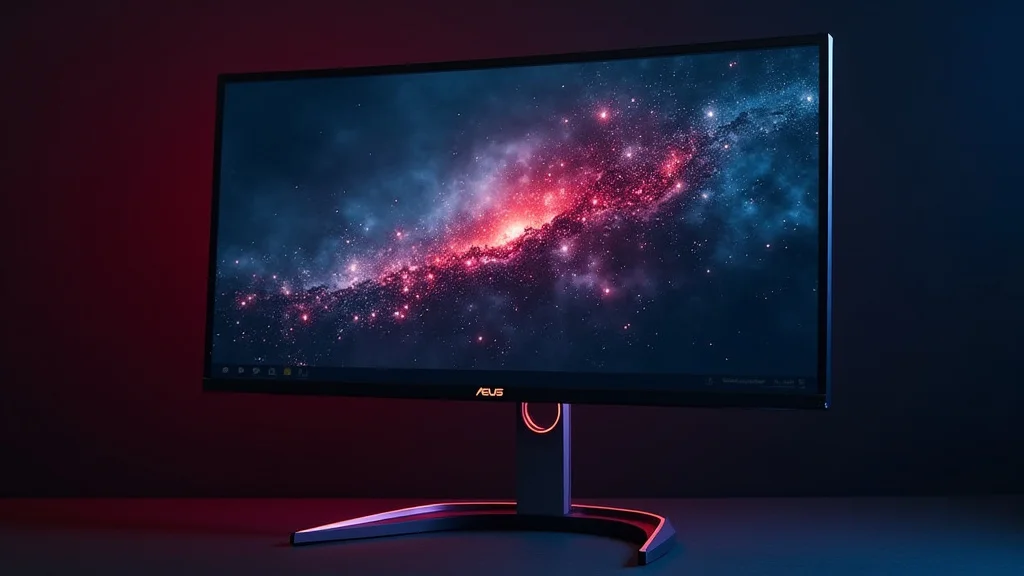
Remember that time you spent hours staring at your screen, wishing for a better picture? Maybe the colors seemed dull, or the motion was blurry. Imagine a display that’s not just good, but exceptional. Today, we’re exploring the ASUS ROG Strix OLED XG27UC DMG, a monitor packed with features to transform your viewing experience. This article will help you make an informed choice, improve your knowledge, and enhance your digital life. You’ll gain a thorough look at its capabilities, helping you determine if this monitor is the right fit.
Overview of the ASUS ROG Strix OLED XG27UC DMG
The ASUS ROG Strix OLED XG27UC DMG is a gaming monitor that pushes the boundaries of visual display technology. It incorporates an OLED (Organic Light-Emitting Diode) panel. OLED technology allows for individual pixels to illuminate or turn off completely, delivering perfect blacks and an infinite contrast ratio. This results in vibrant, lifelike colors and unparalleled image quality. The ‘XG27UC DMG’ model specifically refers to certain specifications that differentiate it, such as its size (27 inches), resolution, refresh rate, and additional features. It’s built for gamers and content creators, aiming to deliver a seamless and immersive experience.
Key Features and Specifications
The core specifications of the ASUS ROG Strix OLED XG27UC DMG contribute to its superior performance. Understanding these features is key to evaluating its suitability. Key characteristics directly impact the visual quality and the overall usability of the monitor. These technical specifications define the viewing experience, affecting everything from color accuracy to the smoothness of motion.
- OLED Panel Technology: OLED panels offer exceptional picture quality because each pixel emits its own light. This results in perfect blacks and a wider color gamut compared to traditional LCD panels. This also helps with the viewing angle. When you’re looking at an OLED screen, the picture looks great no matter where you’re sitting. This technology is a significant factor in the monitor’s high price.
- Refresh Rate: A high refresh rate is important, especially for gaming. The XG27UC DMG usually comes with a refresh rate of 240Hz. This means the screen refreshes the image 240 times per second, resulting in incredibly smooth and responsive visuals. Faster refresh rates reduce motion blur, providing a competitive edge in fast-paced games.
- Resolution: The resolution of the monitor often refers to the number of pixels it can display, usually expressed as width x height (e.g., 2560 x 1440 pixels). Higher resolutions provide more detail and clarity, resulting in sharper images. A monitor might boast a 2560×1440 resolution.
- Response Time: Response time refers to how quickly a pixel can change colors. Faster response times reduce ghosting and motion blur, critical for fast-paced gaming. This is usually measured in milliseconds (ms), with lower numbers being better.
This means no more dull, grayish blacks. OLED delivers true blacks, enhancing contrast and making images “pop”. You’ll notice a significant difference when viewing darker scenes in games or movies. The individual control of each pixel also leads to faster response times, minimizing motion blur.
The higher the refresh rate, the smoother the movement you’ll see on your screen. This is crucial for gamers to track fast-moving objects and react quickly. A 240Hz refresh rate reduces eye strain during extended use. High refresh rates greatly improve the user experience for all applications.
Higher resolution means more detail. The ASUS ROG Strix OLED XG27UC DMG provides detailed images. Whether you’re playing games, watching movies, or editing photos, higher resolution offers sharper visuals. This results in a more immersive and satisfying experience.
The lower the response time, the less blur you see in fast-moving images. This is essential for competitive gaming. Faster response times give you a clear advantage. Quick response times ensure that the image stays sharp, and the gameplay remains immersive.
Design and Build Quality
The design of the ASUS ROG Strix OLED XG27UC DMG is sleek and modern, often featuring a frameless or near-frameless design to maximize the viewing area. Its stand is usually adjustable, allowing for tilt, swivel, and height adjustments, which can significantly improve viewing comfort and ergonomics. Materials used in the construction are high-quality, contributing to the monitor’s premium feel. The aesthetics are often enhanced with RGB lighting, customizable to match personal preferences or system themes.
The physical aspects of the monitor are very important. The monitor’s build quality directly affects how long it will last. Proper design often incorporates features such as cable management, helping to keep your workspace tidy. The materials used in construction influence the overall feel and durability of the monitor.
Performance and Visual Experience with the ASUS ROG Strix OLED XG27UC DMG
The visual performance of the ASUS ROG Strix OLED XG27UC DMG is where this monitor truly shines. The OLED panel technology provides exceptional contrast and color accuracy. Combined with a high refresh rate and fast response times, the monitor delivers an immersive and fluid visual experience. The quality of its display greatly enhances all applications, from gaming to content creation. Users will experience richer colors and smoother motion.
Color Accuracy and Contrast Ratio
OLED panels have a major advantage when it comes to color accuracy and contrast ratio. They can produce a wider color gamut, displaying more vibrant and accurate colors. The infinite contrast ratio delivers pure blacks. This results in images that appear more realistic and dynamic.
- Color Gamut: The range of colors a display can reproduce is known as the color gamut. The XG27UC DMG typically supports a wide color gamut, often covering a significant portion of the DCI-P3 color space. This is very important for content creators and anyone who values color accuracy.
- Contrast Ratio: The contrast ratio measures the difference between the brightest white and the darkest black a display can produce. OLED technology has an infinite contrast ratio because individual pixels can turn off completely.
A wider color gamut means more colors can be displayed, resulting in more accurate and vibrant images. If you’re a photographer or video editor, a wide color gamut is important for your work. A wide color gamut improves the visual experience.
The infinite contrast ratio provides a greater sense of depth. Pure blacks make the picture look more realistic. This feature greatly enhances the visual experience, particularly in dark scenes.
Gaming Performance
The ASUS ROG Strix OLED XG27UC DMG is designed with gaming in mind. It provides features like a high refresh rate, fast response times, and adaptive sync technology (like NVIDIA G-SYNC or AMD FreeSync). These features combine to provide a smooth, tear-free gaming experience. You’ll experience less motion blur and input lag.
- Refresh Rate and Response Time: A high refresh rate (e.g., 240Hz) and a fast response time (e.g., 0.1ms) are essential for gaming. This helps eliminate motion blur and input lag.
- Adaptive Sync Technology: Adaptive sync technologies, such as G-SYNC or FreeSync, synchronize the monitor’s refresh rate with the graphics card’s output. This minimizes screen tearing and stuttering.
- HDR Support: High Dynamic Range (HDR) support enhances the contrast and color range of your display. HDR content appears more vibrant and detailed, which improves the visual quality.
These features give you a competitive edge in fast-paced games. The faster the refresh rate, the smoother the gameplay, allowing you to react more quickly. Quick response times make the image sharp, even during rapid movements.
Adaptive sync makes the image smoother. You get a more immersive experience. The display prevents visual disruptions, such as screen tearing.
HDR makes images look more realistic, especially in games and movies. HDR is also found in this monitor. This creates a more detailed and immersive visual experience.
Connectivity and Features
The ASUS ROG Strix OLED XG27UC DMG is usually equipped with a variety of ports. This allows for compatibility with different devices. The inclusion of features such as built-in speakers, and additional software, add to its overall user experience. The monitor is designed to fit seamlessly into any setup, providing versatility and convenience.
Ports and Input Options
The number and types of ports a monitor has is important. The ASUS ROG Strix OLED XG27UC DMG has several ports. This allows it to connect to different devices. The availability of multiple ports ensures versatility. Common ports on this monitor include HDMI, DisplayPort, and sometimes USB ports.
- HDMI and DisplayPort: These are standard interfaces for connecting to a computer or game console. HDMI (High-Definition Multimedia Interface) supports both video and audio signals. DisplayPort supports higher resolutions and refresh rates.
- USB Ports: USB ports are useful for connecting accessories such as keyboards, mice, and webcams. Some monitors also include USB-C ports, which can also provide power and display data over a single cable.
- Audio Jack: An audio jack allows you to connect headphones or external speakers.
HDMI is the most common connection type. DisplayPort is designed for higher performance. Having both ports ensures compatibility with different devices.
USB ports increase the monitor’s functionality. USB-C ports add convenience. They allow for easy charging of devices.
An audio jack offers a direct, quick way to connect external audio devices. This improves sound quality.
Additional Features
Aside from the core display capabilities, the ASUS ROG Strix OLED XG27UC DMG frequently includes additional features that improve the overall user experience. This might include built-in speakers. It might also include software adjustments.
- Built-in Speakers: Some models include built-in speakers. These speakers provide a convenient audio solution.
- Software and Settings: ASUS often includes software to customize the display settings. This includes settings for gaming, color profiles, and blue light filters.
- Ergonomic Adjustments: This monitor typically provides a range of adjustments. This can include tilt, swivel, height, and pivot.
Built-in speakers provide audio functionality without the need for external speakers. They’re useful for basic audio needs.
These settings add versatility. They can allow you to calibrate your monitor. The software allows you to modify your display according to your preferences.
These adjustments ensure comfortable and correct posture. Ergonomic features help reduce eye strain. This improves the viewing experience.
Setting Up and Using the ASUS ROG Strix OLED XG27UC DMG
Setting up the ASUS ROG Strix OLED XG27UC DMG involves a few simple steps. Proper setup ensures optimal performance and user satisfaction. Initial setup often involves connecting the monitor. This is followed by customizing settings. Careful setup and adjustments can improve the user experience, while maximizing the monitor’s potential.
Physical Setup
Setting up the monitor’s hardware is straightforward. Carefully unpack the monitor and attach the stand if you’re using it. Ensure the stand is securely fastened. Connect the power cable to the monitor and a power outlet. The next step is to connect the monitor to your computer. Depending on your graphics card, you’ll use an HDMI or DisplayPort cable.
- Connecting Cables: The correct cable is key to getting the best performance. HDMI cables are suitable for most devices. DisplayPort cables are recommended for high refresh rates and resolutions.
- Positioning: Position your monitor at a comfortable viewing distance, ideally around an arm’s length away. Adjust the height and tilt to find a comfortable angle. Proper positioning can reduce eye strain and improve overall comfort.
Make sure your cables are securely plugged into both the monitor and your computer. Check the cable type. Some cables are specific, like DisplayPort.
Proper positioning enhances your experience. The ideal position will depend on your setup. A comfortable position makes long viewing periods easier.
Software and Settings Configuration
After setting up the hardware, you’ll need to configure the software settings. This often involves adjusting your operating system’s display settings and calibrating the monitor’s built-in settings. Fine-tuning these settings optimizes the monitor’s performance. The adjustments help ensure accurate color, and improve the user experience.
- Operating System Settings: In Windows or macOS, you can adjust the display resolution, refresh rate, and color settings. Make sure the resolution matches the monitor’s native resolution. Select the maximum supported refresh rate.
- Monitor Settings: The on-screen display (OSD) menu allows you to adjust the monitor’s picture settings. Customize the brightness, contrast, color temperature, and gamma. Most monitors offer pre-set modes for different use cases.
Your operating system settings have a direct impact. Select the optimal refresh rate for smooth visuals. Adjust these settings to maximize your display’s capabilities.
Adjusting the OSD settings is key. Consider using pre-set modes to find the best settings. Customize settings for your needs.
Frequently Asked Questions
Question: Does the ASUS ROG Strix OLED XG27UC DMG support HDR?
Answer: Yes, the ASUS ROG Strix OLED XG27UC DMG typically supports HDR (High Dynamic Range), which enhances contrast and color for a more vibrant picture.
Question: What is the refresh rate of the ASUS ROG Strix OLED XG27UC DMG?
Answer: The XG27UC DMG often features a 240Hz refresh rate, providing smooth and fluid visuals, especially beneficial for gaming.
Question: Does the monitor have built-in speakers?
Answer: Some models may include built-in speakers, but this varies. Check the specific product specifications.
Question: What connection ports does it have?
Answer: The ASUS ROG Strix OLED XG27UC DMG usually includes HDMI, DisplayPort, and sometimes USB ports for connecting various devices.
Question: Can I adjust the monitor’s stand?
Answer: Yes, the stand is often adjustable for tilt, swivel, and height, allowing for ergonomic adjustments.
Final Thoughts
The ASUS ROG Strix OLED XG27UC DMG emerges as a powerful option for gamers and content creators. It features cutting-edge OLED technology, which guarantees a viewing experience defined by perfect blacks and vivid colors. The high refresh rate and fast response times make it ideal for gaming. These features create immersive and fluid visuals. The monitor provides flexibility with a range of ports. It adds convenience with adjustable stands and customizable settings. If you’re serious about visual quality, consider the benefits of a display offering superior performance. If you are looking to take your gaming or content creation to the next level, it’s worth exploring the capabilities of the ASUS ROG Strix OLED XG27UC DMG. Think about how a high-quality display can improve your workflow. It also helps with the visual enjoyment of your favorite content.


