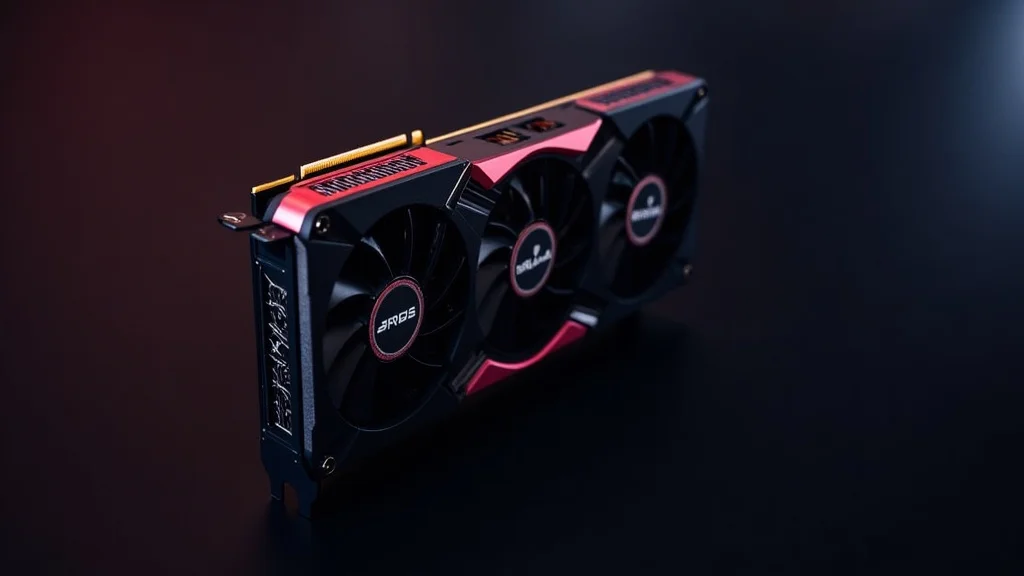
Remember that feeling of anticipation before you unboxed your first serious gaming rig? The gleam of new components, the promise of smoother frame rates, and the chance to experience your favorite games in a whole new way? Many PC gamers have had this experience, and at the heart of many of those builds was the ASUS ROG Strix 1080 Ti. This powerful graphics card was a top performer. In this post, we’ll explore everything about this amazing piece of tech. You’ll gain a full appreciation for its capabilities, how it stacks up against its competitors, and the features that made it stand out. Get ready to have your knowledge expanded and prepare to become a tech expert. You’ll improve your knowledge, and be prepared for future tech upgrades.
ASUS ROG Strix 1080 Ti: An Overview
The ASUS ROG Strix 1080 Ti, a high-end graphics card, was released as part of NVIDIA’s GeForce 10 series. It was based on the Pascal architecture, known for its significant performance gains. It quickly became popular among gamers and enthusiasts due to its high performance and features. ASUS, a well-known brand, added its signature touches to the card, including enhanced cooling and overclocking capabilities. The Strix series is known for its stylish design, combining aesthetics with superior functionality. This graphics card provided an impressive gaming experience and solid performance in content creation tasks. It delivered high frame rates and improved visual quality in games. The card was often praised for its ability to handle demanding games with ease.
Key Features
- Pascal Architecture: The heart of the ASUS ROG Strix 1080 Ti is the NVIDIA Pascal architecture. Pascal marked a significant step forward in graphics card technology. It provided boosts in performance and efficiency compared to its predecessors. This architecture allowed the 1080 Ti to handle complex graphics processing tasks more efficiently, resulting in better in-game performance. This gave gamers smoother and more visually stunning experiences.
- Custom Cooling System: ASUS designed a custom cooling system for the ROG Strix 1080 Ti. This ensured the card remained cool, even under heavy loads. ASUS often utilizes their DirectCU III or IV cooling technology, which uses heat pipes and fans to remove heat from the GPU effectively. This helps prevent thermal throttling and allows for stable performance during long gaming sessions.
- Overclocking Potential: The ASUS ROG Strix 1080 Ti was created with overclocking in mind. ASUS enhanced the power delivery design and added features like Auto-Extreme technology for improved reliability. Overclocking allowed users to push the card beyond its stock specifications, increasing performance even more. This gave gamers the ability to fine-tune the card to their specific needs.
- Aura Sync RGB Lighting: The ASUS ROG Strix 1080 Ti includes RGB lighting, allowing users to customize the card’s appearance. With ASUS’ Aura Sync, users could sync the lighting effects with other compatible components. This created a cohesive and stylish look inside the PC case. Users could choose from various lighting modes and colors to match their system’s theme.
The NVIDIA Pascal architecture used a smaller fabrication process, allowing for more transistors to be packed onto the GPU. This improves the overall processing power and reduces energy consumption. Advanced features like simultaneous multi-projection were also introduced, which improved the realism and immersion of VR experiences.
The custom cooling solution includes larger heatsinks and improved fan designs. This enables the card to dissipate heat more efficiently. The fans are designed to be quieter at lower loads, providing a more pleasant user experience during general use. The fans also support a 0dB technology, where the fans stop spinning when the GPU temperature is low, resulting in completely silent operation.
ASUS uses high-quality components and an improved power delivery system to enable stable overclocks. They also provide their own software, such as GPU Tweak II, that simplifies the overclocking process. Users can easily adjust clock speeds, voltage, and fan profiles to optimize the card’s performance. The overclocking potential makes the card highly sought-after. It gives users a way to improve its already impressive performance.
Aura Sync offers a lot of customization options. Users can change the lighting effects to react to the system’s temperature, music, or specific games. The RGB lighting is strategically placed on the card, including the ROG logo and other accents. The customization features allow gamers to improve their system’s visual appeal and enhance their gaming setup.
Unpacking the ASUS ROG Strix 1080 Ti: Specs and Features
The specifications of the ASUS ROG Strix 1080 Ti were impressive, setting it apart from its competition. It packed a punch with its processing power and high memory capacity. It provided exceptional performance in a variety of tasks. The card was equipped with advanced features. It was a complete package, and it allowed for smooth gameplay and content creation. The details revealed the quality and dedication ASUS put into the design and performance of the card.
Core Specifications
- GPU: The heart of the ASUS ROG Strix 1080 Ti is the NVIDIA GP102 GPU. This GPU is based on the Pascal architecture. It has 3,584 CUDA cores, 224 texture units, and 88 ROPs (render output units). These cores and units work together to process the graphics data. This allows for high-quality visuals and excellent performance in games.
- Memory: The ASUS ROG Strix 1080 Ti has 11GB of GDDR5X memory. This memory is known for its high bandwidth and low latency. It allowed the card to handle large textures and complex scenes in games. The large memory capacity enabled the card to run games at higher resolutions and settings. This ensures a smoother gaming experience.
- Boost Clock: The boost clock of the ASUS ROG Strix 1080 Ti varies depending on the specific model and the overclocking settings. The stock boost clock is generally around 1.7 GHz. ASUS often overclocks its cards out of the box. This provides even better performance compared to the reference design.
- Power Connectors: The ASUS ROG Strix 1080 Ti typically requires one 8-pin and one 6-pin power connector. These connectors supply the card with the necessary power to run effectively. They deliver more power to the card than the reference design. This is important to the overclocking potential and ensures stable operation.
The GP102 GPU is created to handle demanding workloads, allowing for more realistic and complex graphics. It also supports NVIDIA technologies like Ansel, which allows players to capture in-game screenshots, and VRWorks, which improves VR performance.
The GDDR5X memory is a key part of the 1080 Ti’s ability to deliver high performance. The memory bandwidth allows the GPU to quickly access the data it needs to render complex scenes. This is especially important for running games at resolutions like 1440p and 4K, where large amounts of data need to be processed.
The boost clock is the speed at which the GPU operates. The higher the boost clock, the faster the GPU can process graphics data. The custom cooling system and power delivery of the ROG Strix 1080 Ti allow it to maintain high boost clocks during gameplay. This results in higher frame rates and a better gaming experience.
The power connectors are essential for the operation of the graphics card. They connect the card to the power supply unit (PSU). The power supply unit provides the electricity needed to run the card. Users must ensure that their PSU has enough power and the correct connectors to support the 1080 Ti.
Advanced Features Explained
- DirectCU III/IV Cooling: ASUS’s DirectCU III or IV cooling systems are important to the ROG Strix 1080 Ti’s ability to keep cool. The DirectCU system uses copper heat pipes that directly contact the GPU. This removes heat very efficiently. The heat pipes transfer the heat to a large heatsink. Fans then dissipate the heat.
- Auto-Extreme Technology: ASUS’s Auto-Extreme Technology is a manufacturing process that improves the quality and reliability of the graphics card. This system uses automation to assemble the card. It results in a more precise and consistent manufacturing process. This improves the lifespan of the card.
- GPU Tweak II: GPU Tweak II is ASUS’s software that provides users with control over their graphics card’s settings. With this software, users can adjust clock speeds, fan speeds, and voltage. They can also monitor the card’s temperature and performance. The software gives users the tools to fine-tune the card to their needs.
- Aura Sync: Aura Sync is ASUS’s technology that synchronizes the RGB lighting across all compatible components in a PC. With Aura Sync, users can coordinate the lighting effects of their graphics card, motherboard, and other ASUS devices. This allows users to create a unified lighting scheme.
The DirectCU cooling system is designed to provide excellent cooling performance. The direct contact between the heat pipes and the GPU helps transfer heat more efficiently. The design includes multiple heat pipes and fins that maximize the surface area for heat dissipation. This results in lower temperatures and the ability to maintain higher boost clocks.
Auto-Extreme Technology reduces the risk of human error in the manufacturing process. It also reduces the amount of material waste. ASUS’s technology uses high-quality components and rigorous testing to ensure the card’s durability and reliability. It contributes to the card’s overall stability and performance, even during heavy use.
GPU Tweak II has a user-friendly interface. It offers various preset profiles for different gaming scenarios. Users can easily switch between different profiles or create their custom profiles. It also includes features like XSplit Gamecaster for streaming gameplay and ASUS’s OC Scanner that helps with automatic overclocking.
Aura Sync offers a lot of lighting effects and customization options. Users can choose from different colors, patterns, and speeds. They can also use Aura Sync to synchronize the lighting with the music or the game they are playing. Aura Sync enhances the overall look of the system and creates a more immersive gaming experience.
Gaming Performance: Benchmarks and Results
The ASUS ROG Strix 1080 Ti provided amazing gaming performance. It was a favorite among gamers. The card delivered high frame rates and smooth gameplay. This resulted in an immersive experience. Gamers wanted a top-tier card to play their favorite games. Its ability to run demanding titles at high settings was an essential factor. These benchmarks are a display of the card’s dominance in the gaming scene.
Benchmark Analysis
- 1080p Gaming: At 1080p resolution, the ASUS ROG Strix 1080 Ti could deliver high frame rates in nearly every game. It could push games to their limits. Gamers could enjoy smooth and visually stunning gameplay. The card allowed for high refresh rate monitors. It provided a responsive and fluid gaming experience.
- 1440p Gaming: The ASUS ROG Strix 1080 Ti was an excellent choice for 1440p gaming. Gamers could enjoy games with increased detail. It could run games at high settings while maintaining smooth frame rates. The card provided a great balance between visual quality and performance.
- 4K Gaming: The ASUS ROG Strix 1080 Ti was capable of 4K gaming, albeit with some compromises. Gamers could enjoy games at this high resolution. It was important to adjust the graphic settings to keep a playable frame rate.
- Virtual Reality: The ASUS ROG Strix 1080 Ti was an excellent card for Virtual Reality (VR) gaming. The card could handle the high demands of VR. It offered a smooth and immersive experience. The card could deliver the required frame rates to eliminate motion sickness.
In many games, the 1080 Ti easily exceeded 60 frames per second at 1080p with all settings maxed out. Even demanding titles like “The Witcher 3” or “Grand Theft Auto V” ran smoothly, ensuring that gamers could have a rich experience without any lag or stuttering. This performance made it ideal for both casual and competitive gaming.
At 1440p, the 1080 Ti could still deliver frame rates well above 60 FPS in many games. This provided a noticeable improvement in visual quality compared to 1080p. The higher resolution made details clearer and more defined, giving a more immersive gaming experience. It was also capable of utilizing high refresh rate monitors at this resolution.
While the 1080 Ti could run many games at 4K, it was often necessary to adjust the graphics settings. This could include lowering settings such as texture quality or anti-aliasing. This allowed gamers to get acceptable frame rates. This was still a significant achievement. It brought the high-resolution gaming experience to a wider audience.
The 1080 Ti’s processing power and memory capacity were well-suited for VR. It could handle the high resolutions and refresh rates needed for VR headsets. This resulted in a realistic and immersive experience. The card’s performance provided a great VR experience for gamers.
Real-Life Gaming Scenarios
- “Cyberpunk 2077” at 1440p: Imagine playing “Cyberpunk 2077” on an ASUS ROG Strix 1080 Ti at 1440p. With the settings tuned for a good balance between visual quality and performance, you could get an average frame rate between 45-60 FPS. You would see the vibrant Night City with its neon lights and detailed environments. You would experience the game’s immersive story.
- “Assassin’s Creed Valhalla” at 4K: Picture playing “Assassin’s Creed Valhalla” on an ASUS ROG Strix 1080 Ti at 4K. With a few graphics adjustments to high settings, you could expect to get around 30-45 FPS. You would explore the vast open world. The 1080 Ti would enable you to enjoy the high detail in the environments.
In this scenario, you might adjust settings like ray tracing to maintain a smooth frame rate. Despite this, the game would still look amazing. The 1080 Ti would easily handle the graphical demands. You would experience the action in a visually stunning way. It offers a great gaming experience.
To reach the best possible experience, you might need to adjust some settings. However, you’d still enjoy a visual treat. The card would provide a good balance between visual quality and gameplay. The immersion in this historic setting would be enhanced. The card would improve the overall experience.
Comparison: ASUS ROG Strix 1080 Ti vs. Competitors
The ASUS ROG Strix 1080 Ti was compared to other top graphics cards. It was often placed against its rivals. This allowed enthusiasts to determine its value and how it stacked up in terms of performance. The card’s strengths and weaknesses became evident. The comparison provided insight into the competitive landscape of the graphics card market.
Key Competitors and Performance
| Graphics Card | Architecture | Memory | Typical Performance (Compared to 1080 Ti) |
|---|---|---|---|
| NVIDIA GeForce GTX 1080 | Pascal | 8GB GDDR5X | 10-20% slower |
| NVIDIA GeForce RTX 2080 | Turing | 8GB GDDR6 | 10-20% faster, plus ray tracing and DLSS |
| AMD Radeon RX Vega 64 | Vega | 8GB HBM2 | Similar performance, sometimes slightly faster |
- VS. NVIDIA GeForce GTX 1080: The ASUS ROG Strix 1080 Ti offered a big step up in performance compared to the GTX 1080. The 1080 Ti featured more CUDA cores, higher memory bandwidth, and better overall specifications. The increase in performance allowed the 1080 Ti to handle games at higher resolutions and settings. This gave gamers a superior experience.
- VS. NVIDIA GeForce RTX 2080: The RTX 2080, from the next generation, used the Turing architecture and provided features like ray tracing. While the RTX 2080 performed better than the 1080 Ti, the difference wasn’t as big as expected. The 2080 also offered features the 1080 Ti did not.
- VS. AMD Radeon RX Vega 64: The AMD Radeon RX Vega 64 was a direct competitor to the 1080 Ti in terms of performance. The Vega 64 performed similarly, with results varying depending on the game. Each card had its own strengths and weaknesses. It came down to individual preferences.
- Value Proposition: When comparing the ASUS ROG Strix 1080 Ti to its competitors, the value proposition was another factor. The 1080 Ti offered high performance at a price that was a great value. Although newer cards offered additional features and performance gains, the 1080 Ti remained an attractive option.
The 1080 Ti usually offered around a 10-20% boost in frame rates. It was a significant upgrade for those wanting more power. The improvements made the 1080 Ti a better option for high refresh rate gaming and VR. The performance increase made it worthwhile to many gamers.
The RTX 2080 could provide a 10-20% performance increase. It also had ray tracing capabilities. Ray tracing allows for more realistic lighting and reflections in games. The introduction of DLSS (Deep Learning Super Sampling) improved performance at higher resolutions. The 2080 was a strong competitor, but the 1080 Ti remained a powerful choice.
The Vega 64 had a different architecture than the 1080 Ti. They were both powerful, capable cards. The Vega 64 sometimes performed better in certain games. The 1080 Ti often had an edge due to its more efficient architecture and better driver support. The choice depended on factors like pricing, game preference, and any extra features wanted.
The value of the 1080 Ti became even more attractive over time, as its price often dropped. This made it a great choice for those who were seeking a powerful graphics card without breaking the bank. It also provided a good balance of performance and price compared to the newest cards.
Frequently Asked Questions
Question: What is the main difference between the ASUS ROG Strix 1080 Ti and the reference 1080 Ti?
Answer: The ASUS ROG Strix 1080 Ti features a custom cooling solution, a factory overclock, and enhanced power delivery compared to the reference design. These changes help in better cooling and stable performance.
Question: Does the ASUS ROG Strix 1080 Ti support ray tracing?
Answer: No, the ASUS ROG Strix 1080 Ti does not support ray tracing. Ray tracing is a feature of newer graphics cards based on the Turing and Ampere architectures.
Question: What is the recommended power supply unit (PSU) for the ASUS ROG Strix 1080 Ti?
Answer: A power supply unit (PSU) with at least 600W to 650W is recommended. However, it’s best to have a PSU of higher wattage if you plan to overclock or have many other power-hungry components.
Question: Can I run games at 4K resolution with the ASUS ROG Strix 1080 Ti?
Answer: Yes, you can run games at 4K resolution. However, you might need to adjust the graphics settings to achieve playable frame rates.
Question: Is the ASUS ROG Strix 1080 Ti still a good choice for gaming?
Answer: Yes, the ASUS ROG Strix 1080 Ti is still a good choice for gaming, especially for those looking to upgrade on a budget, delivering great performance.
Final Thoughts
The ASUS ROG Strix 1080 Ti remains a powerful graphics card. The combination of high performance, an impressive cooling system, and customization options made it a top choice for gamers and enthusiasts. With its ability to handle demanding games at high settings and offer smooth frame rates, the 1080 Ti was a leading card. Its overclocking capabilities allowed users to get more out of the card. Although newer cards have come onto the market, the 1080 Ti continues to provide value and performance. If you are looking for a reliable graphics card that still packs a punch, the ASUS ROG Strix 1080 Ti is a top choice. Consider this card. It has the ability to run your favorite games, at smooth frame rates, and improve your gaming experience.


